Quick start
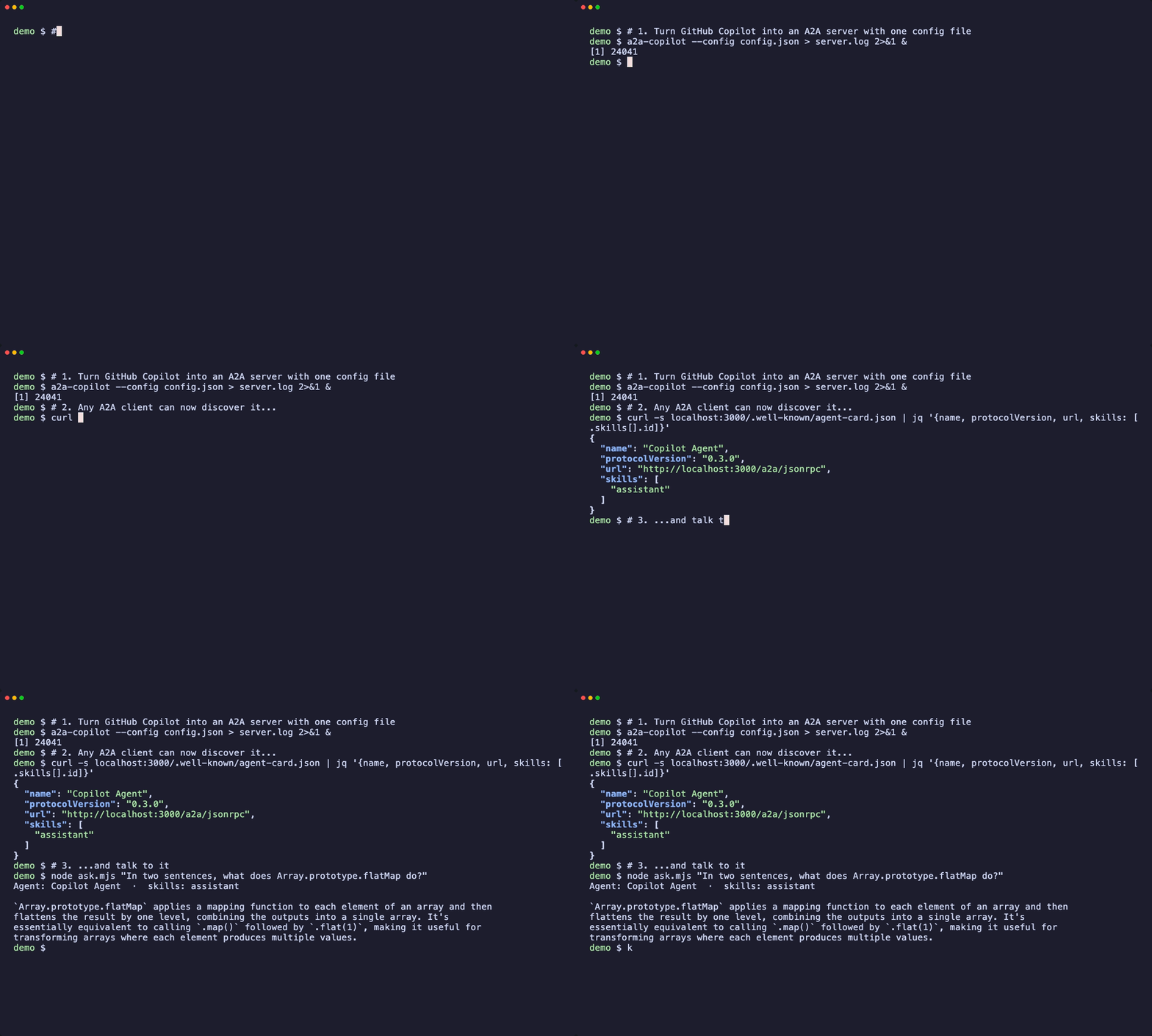
Turn GitHub Copilot into an A2A server with one JSON config file, then discover it through its agent card and send it a message from any A2A client.
This is the simplest useful thing you can do: expose one agent over A2A and talk to it.
1. Install and sign in
You need Node 20+ and a GitHub account with Copilot access.
npm install -g a2a-copilot
gh auth login        # or: export GITHUB_TOKEN=...
2. Write a config file
Save this as config.json:
{
  "agentCard": {
    "name": "Copilot Agent",
    "description": "GitHub Copilot as an A2A agent",
    "version": "1.0.0",
    "protocolVersion": "0.3.0",
    "streaming": true,
    "defaultInputModes": ["text"],
    "defaultOutputModes": ["text"],
    "skills": [
      { "id": "assistant", "name": "Coding Assistant", "description": "Answer coding questions", "tags": ["code"] }
    ]
  },
  "server": { "port": 3000, "hostname": "127.0.0.1" },
  "copilot": {
    "model": "auto",
    "systemPrompt": "You are a concise coding assistant.",
    "systemPromptMode": "replace"
  }
}
About model: auto
"model": "auto" lets Copilot choose a model your plan can use. If you pin a model and see Model "..." is not available, that model is not enabled for your account.
3. Start the server
a2a-copilot --config ./config.jsonThe server binds to 127.0.0.1, so only your machine can reach it.
4. Discover the agent
Every A2A agent publishes an agent card. Any client starts here:
curl -s localhost:3000/.well-known/agent-card.json | jq '{name, protocolVersion, url, skills: [.skills[].id]}'5. Talk to it
curl -s -X POST localhost:3000/a2a/jsonrpc -H 'content-type: application/json' -d '{
  "jsonrpc": "2.0", "id": "1", "method": "message/send",
  "params": {
    "message": { "kind": "message", "messageId": "m1", "role": "user",
      "parts": [{ "kind": "text", "text": "What does Array.prototype.flatMap do?" }] },
    "configuration": { "blocking": true }
  }
}'
"blocking": true makes the call return when the task completes. The answer is in the task's artifacts. The repository also ships a tiny dependency-free client, ask.mjs, that does exactly this.
Because this is standard A2A, the same server works with the official A2A SDKs, inspectors and other orchestrators.
Other backends
Claude, Codex, OpenCode and Antigravity work the same way. Only the package name and the backend block in the config change. See choosing a wrapper.
Next
Installation
Install an a2a-wrapper package from npm or build the monorepo from source. Covers requirements, per-backend authentication, and the stable and canary release channels.
Multi-agent crew
A runnable multi-agent software engineering workflow. A planner delegates a feature to Claude through a2a-claude, then hands the result to Codex through a2a-codex for tests and review, all over A2A.